If you’re searching for Veo login, Veo AI, or Gemini AI, you’re probably looking for a way to access Google’s powerful AI video generation technology and start creating realistic videos from simple ideas, text prompts, images, and creative concepts.
Google Veo has become one of the most powerful AI video generation technologies available to creators. Combined with Gemini AI and Google’s AI filmmaking tools, Veo can help transform an idea into realistic, cinematic video content.
Looking for Veo login? Access to Veo depends on the Google product, AI plan, account, model availability, and supported region. Veo technology is available across Google’s AI ecosystem, including Gemini, Google Flow, the Gemini API, and Vertex AI.
In this guide, we’ll explain how Veo login works, how Veo connects with Gemini AI, what Google Flow is, how to create better Veo prompts, and how AI video creators can use Veo for professional content production.
Veo Login: How to Access Google Veo
If you’re searching for the Veo AI login or trying to find where to access Google’s AI video generator, it’s important to understand that Veo isn’t simply a traditional standalone video editing website.
Google provides access to Veo through different AI products and platforms. Depending on your account and subscription, you may encounter Veo through Gemini, Google Flow, the Gemini API, or Google Cloud’s Vertex AI platform.
How to Log Into Veo AI
Getting started is straightforward when Veo is available to your Google account:
- Sign in with your Google account.
- Open the Google AI product that provides Veo access.
- Check whether AI video generation is available for your account.
- Select the available Veo model or video generation feature.
- Enter a detailed video prompt.
- Generate and review your AI video.
SEO Tip for Creators: A good Veo prompt should describe the subject, environment, camera angle, movement, lighting, visual style, and audio instead of relying on a short generic sentence.
Gemini AI and Veo: How Do They Work Together?
Gemini AI and Veo work together as part of Google’s broader generative AI ecosystem. Gemini can help you develop concepts, write scripts, create detailed prompts, plan scenes, and refine creative ideas before you generate the actual video.
Veo then takes those creative instructions and turns them into AI-generated video, depending on the specific Veo model and workflow available to you.
This makes the combination of Gemini AI + Veo particularly useful for:
- AI video creators
- YouTube creators
- Social media creators
- Filmmakers
- Video editors
- Marketing agencies
- Advertisers
- Educators
- Businesses
- Content creators
Why Use Gemini AI Before Generating a Veo Video?
Instead of entering a basic prompt such as “a doctor talking in a clinic,” you can use Gemini to develop a much more detailed creative direction.
For example, Gemini can help you describe the character, location, camera movement, lighting, action, mood, visual style, dialogue, and environmental sounds.
The result is a more structured prompt that gives the AI video generator a clearer understanding of what you want to create.
What Is Google Veo?
Google Veo is Google’s advanced AI video generation model, developed by Google DeepMind. It is designed to generate realistic video from creative instructions and can support different video-generation workflows depending on the model and platform.
For creators, the biggest attraction is the ability to generate visual scenes without traditional filming equipment, locations, actors, or large production crews.
Veo AI Video Generation
Veo can be used for different creative workflows, including text-based video generation and image-based video creation. Newer generations of Google’s video models also provide greater control over visual consistency, movement, and audiovisual output.
AI video generation is moving from simple experiments to professional creative workflows. The strongest results come from combining AI generation with human storytelling, editing, sound design, graphics, and creative direction.
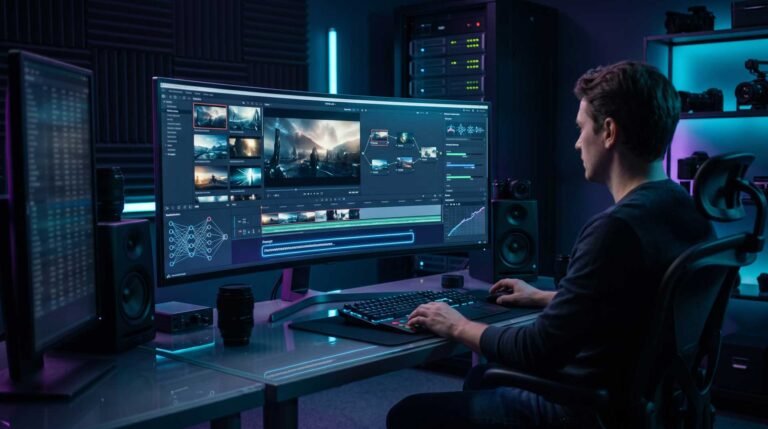
Veo 3.1 AI Video Generation
Veo 3.1 represents Google's latest generation of AI video technology and gives creators more creative control over AI-generated scenes. Depending on the specific workflow, creators can work with text prompts, images, reference material, and other inputs.
For anyone researching Veo login, understanding the capabilities of the available Veo model is just as important as knowing where to access it.
What Can Veo AI Create?
- Text-to-video scenes
- Image-to-video content
- Cinematic B-roll
- Storytelling sequences
- Product visuals
- Social media videos
- Advertising concepts
- Educational video scenes
- Creative visual effects
- AI-generated dialogue and sound in supported workflows
Veo AI Video With Sound
One of the most interesting developments in Google's AI video technology is the ability to combine visual generation with audio. Depending on the Veo model and environment, creators can generate elements such as dialogue, sound effects, and environmental sounds.
This changes the workflow considerably because creators can think about a scene as an audiovisual experience rather than simply a silent video clip.
Veo + Gemini AI can be especially powerful when you use Gemini to develop the story and prompt, Veo to generate the scene, and professional editing software to turn the generated clips into a finished production.
Google Flow and Veo AI
If you're searching for Veo login because you want a more complete AI filmmaking environment, Google Flow is another important part of Google's AI video ecosystem.
Flow is designed around AI filmmaking and can combine Google's generative AI models to help creators develop cinematic clips, scenes, characters, and stories.
What Can You Create With Google Flow?
- Cinematic AI videos
- Short films
- Story-driven scenes
- AI B-roll
- Product videos
- Social media content
- Image-to-video sequences
- Creative advertising concepts
- Visual storytelling projects
Veo vs Gemini AI vs Google Flow
These names can become confusing because they are all part of Google's broader AI ecosystem. The simplest way to understand them is to look at their different roles.
| Tool | Main Purpose | Best For | Video Role |
|---|---|---|---|
| Gemini AI | Ideas, scripts, prompts and planning | Creative planning and AI assistance | Helps develop the concept and prompt |
| Google Veo | AI video generation | Generating cinematic video | Creates AI-generated video scenes |
| Google Flow | AI filmmaking workflow | Scenes, stories and filmmaking | Combines AI models for creative production |
| Premiere Pro | Professional video editing | Final editing and storytelling | Edits and assembles generated footage |
| After Effects | Motion graphics and VFX | Graphics, animation and effects | Adds professional finishing effects |
How to Create Better Veo AI Videos
Having access to Veo does not automatically guarantee great results. The quality of your prompt plays a major role in the output.
1. Describe the Subject
Tell Veo exactly what should appear in the scene.
Example: A professional female doctor in her early 40s wearing a modern white medical coat.
2. Describe the Environment
Explain where the scene takes place and what should appear around the subject.
Example: She is standing inside a modern medical clinic with large windows, professional equipment and a clean healthcare environment.
3. Describe the Camera
Specify the type of shot and movement you want.
Example: Medium cinematic shot with a slow camera push-in and shallow depth of field.
4. Describe the Lighting
Lighting can significantly affect the mood and realism of an AI-generated video.
Example: Soft natural daylight with realistic skin tones and subtle cinematic contrast.
5. Describe the Action
Explain what the subject should actually do.
Example: The doctor looks naturally into the camera and explains a medical procedure while using subtle hand gestures.
6. Describe the Audio
For compatible Veo workflows, describe dialogue, environmental sounds, music or sound effects where appropriate.
Pro Prompt Formula:
Subject + Environment + Camera + Movement + Lighting + Style + Action + Audio

Gemini AI for Professional Video Creation
Gemini AI can be useful before you even begin generating your video. Instead of starting with a blank prompt, you can use Gemini to develop the entire creative concept.
For example, you can ask Gemini to create a detailed Veo prompt for a product advertisement, educational video, YouTube intro, cinematic scene, healthcare explainer, social media Reel, or short film.
What Can Gemini AI Help With?
- Video ideas
- Scripts
- Veo prompts
- Shot lists
- Character development
- Scene planning
- YouTube concepts
- Social media video ideas
- Advertising concepts
- Creative variations
Veo AI for YouTube and Social Media
AI video generation is becoming increasingly useful for short-form and digital content. Creators can use Veo-generated footage as part of YouTube videos, Instagram Reels, TikTok videos, advertisements, educational content and social media campaigns.
For professional editors, AI-generated footage can also become a valuable source of custom B-roll when traditional filming isn't practical.
Veo AI for Video Editors
Video editors can combine AI generation with traditional post-production to create a much more flexible workflow.
Gemini AI → Veo → Premiere Pro → After Effects
This workflow can combine AI-assisted creative development, AI video generation, professional editing, motion graphics, sound design, captions and final production.
Is Veo Better Than Traditional Video Editing?
Veo isn't necessarily a replacement for professional video editing. Instead, it can become another tool inside a modern production workflow.
AI can generate footage, but professional editing is still important for storytelling, pacing, sound design, visual consistency, branding, transitions, captions, graphics and final quality control.
The strongest results often come from combining AI video generation with human creative direction and professional post-production.
Who Should Use Veo AI?
Content Creators
Create cinematic B-roll, storytelling scenes, visual hooks and creative social media content.
Businesses
Develop creative concepts, advertisements, product visuals and promotional video content.
Marketing Agencies
Generate unique visual assets for campaigns, social media, advertisements and branded content.
Video Editors
Generate custom B-roll and visual scenes that can be incorporated into professional video editing workflows.
Educators
Create visual examples, demonstrations and engaging educational video content.
Filmmakers
Experiment with characters, environments, camera movement, storytelling and cinematic concepts.
Veo Login and Access: What You Need to Know
If you're searching for Veo login, remember that availability can depend on your Google account, subscription, country, product and the specific Veo model available to you.
Google continues to expand Veo across its AI ecosystem, so the exact interface and access options can change over time.
Important: If you cannot see Veo in your Google account, check whether your current Google AI plan supports the feature and whether Veo is available in your region and selected Google product.
Frequently Asked Questions About Veo Login and Gemini AI
What is the Veo login?
Veo access is provided through Google's supported AI products and services. Depending on your account, plan and region, you may access Veo through Gemini, Google Flow or other Google AI platforms.
Can I use Veo with Gemini AI?
Yes. Google's Veo technology is integrated into parts of the Gemini ecosystem, depending on the available model, account, subscription and region.
What is Google Flow?
Google Flow is an AI filmmaking environment designed to help creators develop cinematic clips, scenes and stories using Google's generative AI technology.
Can Veo generate audio?
Veo models support audiovisual generation in compatible workflows, including elements such as dialogue, sound effects and environmental sounds.
Can Veo create vertical videos?
Yes. Certain current Veo workflows support vertical video generation, making the technology useful for platforms such as Instagram, TikTok and YouTube Shorts.
Can I use Veo for professional video production?
Yes. Veo can be incorporated into professional production workflows for B-roll, advertisements, social media content, storytelling, educational videos, product videos and creative projects.
Final Thoughts on Veo Login, Veo AI and Gemini AI
The combination of Veo, Gemini AI and Google Flow is changing how creators approach video production.
Instead of starting every project with expensive cameras, locations and large production crews, creators can use AI to develop concepts, create visual scenes, experiment with different styles and then refine the results using professional editing software.
If you arrived here searching for Veo login, Veo AI, Veo 3.1, Gemini AI, or Google Flow, the key is understanding how these tools work together.
AI video generation is developing rapidly, and Veo is becoming an increasingly powerful tool for filmmakers, video editors, businesses, marketers and content creators.
Ready to Create Better AI Videos?
Combine AI video generation with professional editing, storytelling, motion graphics and visual design to create content that looks polished and engaging.
Veo + Gemini AI + Professional Video Editing
Do you love reading this type of blogs? Read our other blogs here.